How to Play Car Parking
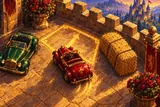
Car Parking (the game's own title is Royal Parking) is a top-down parking puzzle. You drive one small ruby roadster through a castle courtyard and stop it inside a golden bay, without touching anything on the way. This guide covers the controls, what counts as parked, how stars are earned, and the manoeuvres you will need in the later packs.
Play nowThe goal
Each level is one courtyard with one golden bay. Your job is to bring the car to a full stop inside it with the nose pointing toward the arrow painted in the bay. On a few levels the bay shows two arrows, and then either direction counts. Once the car is inside, with no pedal held and the wheel at rest for about half a second, the game calls it parked.
Everything else in the courtyard is an obstacle: parked toy cars, royal coaches, hay bales, rose planters, barrels, stone posts, walls, trees and fountains. Touch any of them, or the courtyard wall, and the level ends with "Bump!".
The screen
- Steering wheel at the bottom left. Drag it round to steer; it slowly springs back to the middle when you let go.
- Pedals at the right: D to drive forward and R to reverse. Hold a pedal to move.
- Plaque in the yard showing the level number, its name and the par time.
- Top bar: the time, Level n/10 and the pack's Stars out of 30.
Driving, step by step
- Study the courtyard. Find the bay, the arrow and the obstacles between you and it.
- Turn the wheel toward the direction you want to go. You can turn it while standing still.
- Hold D to roll forward, or R to roll backward. Steering works like a real car at low speed: the car turns around its rear wheels, so it needs room to swing.
- Release the pedal and the car rolls to a stop. Pressing the opposite pedal brakes first, then moves you the other way.
- Change gear as often as you need. Short moves forward and back let you fix the angle in tight spaces.
- Stop inside the bay, square to the lines, and keep still for a moment. "Parked!" means you have done it.
Keyboard controls
On a computer you can drive with the keys: ↑ or W to drive, ↓ or S to reverse, and ← → or A D to steer. The wheels turn at a steady rate while you hold a steering key, so tap for small corrections.
Stars and progress
Each level gives up to three stars: one for parking, one for parking within the level's par time, and one for a precision of 80% or more. Precision measures how well the car is centred across the bay, centred along it and lined up square with the lines. The clock starts with your first input and stops while the game is paused.
The 30 levels come in three packs: Easy, Medium and Hard, ten each. Bays get narrower from pack to pack. Level 1 of every pack is always open, and each next level opens once you have parked the one before. The start card shows all ten levels with your stars, and any open level can be replayed to improve them. After a win, Next game takes you on to the following level.
Manoeuvres you will meet
- Nose-in parking into a straight bay: the easiest, used in the first levels.
- Reverse parking: backing into a bay, as in Backing In and Reverse Stall.
- Angled bays: slanted spaces, as in Slanted Bays and Slanted Squeeze.
- Parallel (kerbside) parking on either side of the road, from Kerbside to Tight Kerb.
- Three-point turn: turning round in a narrow lane.
- Gates, corridors and hay mazes: threading the car through tight gaps before you even reach the bay.
Hints and bumps
Hint (after a short video) shows "the golden route" from wherever the car stands: a dotted gold line for driving forward, ruby dots for reversing, D and R marks where to stop and change gear, and a ghost of the parked car. If there is no route from your position, it tells you to back up a little.
After a bump you can choose Try again, New game, or Rewind 2 seconds (after a short video) to go back to just before the touch. There is no undo, and reloading the page does not undo a bump. A level in progress is saved, though: come back later and a Continue card puts your car where you left it.
Strategy
- Plan backward from the bay: where must the car be, and at what angle, a car length before it?
- Reverse into tight bays. Backing in lets the steering front wheels swing the nose clear of obstacles.
- For parallel parking, pull level with the space, reverse with full lock toward the kerb, then straighten and turn the other way.
- Steer while rolling slowly once you are confident; it is much quicker than stopping for every turn of the wheel and helps with the time star.
- Go for the parking star first. Chase time and precision on a replay once you know the route.
Common mistakes
- Holding the pedal too long near a post or planter. Short presses are safer.
- Cutting a forward turn too tight: the rear wheels follow a tighter line than the front ones and clip the corner.
- Stopping half outside the bay and wondering why the level has not finished.
- Parking the wrong way round when the bay has a single arrow.
Glossary
- Bay: the golden parking space you must stop in.
- Par: the target time for the time star, shown on the plaque.
- Precision: how centred and straight the car is in the bay.
- Pack: a set of ten levels (Easy, Medium or Hard).
- Kerbside: a parking space along the edge of a lane, used for parallel parking.
- Golden route: the path the hint draws for you.
Ready to drive
Start with the Easy pack on the Car Parking page. When you want speed instead of precision, try Drift Game, and find more in our car games.
FAQ
- Why did the level not finish when I was in the bay?
- The whole car must be inside the bay, facing the arrow, with no pedal held and the wheel at rest for about half a second.
- How many levels are there?
- Thirty, in three packs of ten. Each was tested to make sure it can be parked.
- Do the cars move or is there traffic?
- No. Everything except your car stands still, so there is no traffic and no race.
- Is there a time limit?
- No. The par time only decides one of the three stars; you can take as long as you like to park.