How to Play Escape Room
New to point-and-click escapes? The idea is simple: you are shut in a room, everything you need to get out is somewhere inside it, and the fun is in noticing, collecting and connecting. This guide explains how to play our escape room game: how to look around, how items and locks work, how hints help and how the score is calculated.
Play nowGoal
Open the room's exit. In every room the Jester has locked you in for fun, and the door opens only after you have solved all of its puzzles. The Puzzles counter at the top shows how many you have solved out of the room's total. When the last lock gives way, "You escaped!" appears with the room's closing line.
Looking around
- Each room has four walls. Big gold arrows on the left and right turn you from one wall to the next. The left and right arrow keys work too.
- Tap any object that looks interesting. The view zooms into a close-up of that spot.
- A down arrow (or the down arrow key or Esc) takes you back to the wall.
- Read the parchment caption that appears. It tells you what you found, or that there is nothing there.
Items
- Collect: items you pick up fly into the inventory, a column on the right on a computer or a row under the picture on a phone.
- Use: select an item, then tap a spot in the room. If it does not fit, you will see "That doesn't work here."
- Combine: select an item, then tap another item in the inventory. Torn halves join, parts assemble, a cloth cleans a lens.
- Inspect: tap a selected item again for a big picture and a description. Papers and scrolls show their drawings, which are often clues.
Locks and puzzles
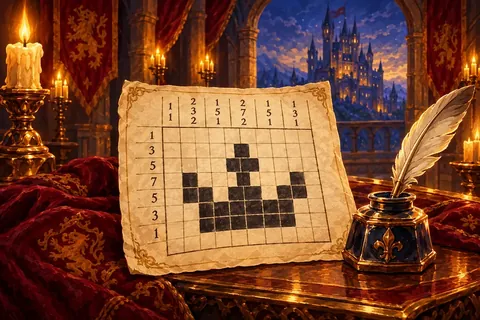
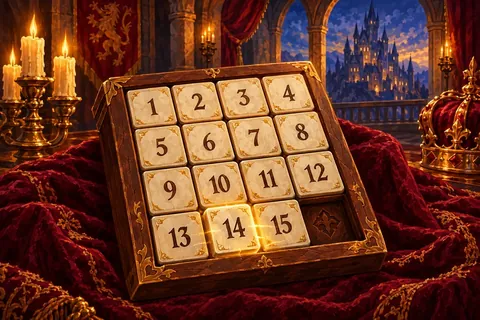
Every lock has exactly one answer, and every clue is drawn rather than written: colours, symbols, Roman numerals, numbers, pictograms, moon phases, star patterns. That is why the rooms work the same in every language. Typical puzzles include combination dials, sliding picture tiles, pressing things in the right order, setting a clock or dial, arranging objects to match a picture, and grids of lights where each tap also changes the neighbours.
If something says "You need something else first.", you are on the right track but missing an item or an earlier step.
Hints
Press Hint and "The Jester whispers…" a tip about your next step. The first press on a step is a gentle nudge. Press again for a clearer hint, which gives the exact solution. Hints are offered after a short video, and the HUD counts how many you have used.
Score and time
The clock only measures your time; it never runs out and you cannot lose. Your score starts at 2,000. Each minute costs 40 points and each hint 200, with a minimum of 100. Next game and Play again both restart the same room, and the New game dialog lists all five rooms.
The rooms
- The Library, about 12 to 18 minutes, the gentlest.
- The Bell Tower and The Kitchen, about 15 to 20 minutes each.
- The Treasury and The Observatory, about 18 to 25 minutes, the hardest.
Escape strategy
- Survey first: turn through all four walls before you touch anything, and make a mental list of locks.
- Tap everything: cushions, drawers, frames, the undersides of things. Most spots say "Nothing interesting there.", but the ones that do not are what you came for.
- Match clues to locks: a drawing with three numbers fits a three-dial lock; four colours fit four coloured dials.
- Inspect every item: the description often tells you what it is for.
- Try combinations: two items that seem incomplete usually belong together.
Glossary
- Inventory: the strip of items you are carrying.
- Close-up: a zoomed view of one part of a wall.
- Combine: joining two items into one.
FAQ
- Can I lose or get locked out of a room?
- No. There are no lives, no countdown and nothing can be lost. That is also why there is no undo.
- Is my progress saved?
- Yes. Each room saves where you stand, your items, what you opened and what you solved. Reload and the game welcomes you back.
- Do the rooms tell a connected story?
- No. Each room is a separate escape on its own page, open from the start.
- Is it suitable for people who dislike scary games?
- Yes. The castle rooms are bright and friendly, and the Jester is mischievous rather than menacing.