How to Play Jester Run
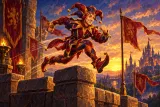
This guide explains how to play the dinosaur game style runner on PlayJester, called Jester Run. If you know the little jumping game that browsers show when the connection drops, the idea is the same: a character runs on its own and you press one button to jump over whatever is in the way. Ours has a jester, a castle road and a few extra twists.
Play nowGoal
Run as far as you can. There is no finish line: the run lasts until the jester crashes into an obstacle. Your result is the distance in metres, and the game remembers your best distance separately for each level.
Getting started
- Open the game. A run on Medium is waiting, with a short instruction on the screen.
- Press Space, click, or tap the screen once. This first press only starts the jester running.
- From now on, each press is a jump. The road scrolls by, and the counter in the top bar shows how many metres you have covered.
- To pick another level, use New game, choose Easy, Medium or Hard, and press Start.
Controls
- On a phone or tablet: tap anywhere on the game to jump; keep your finger down for a higher jump.
- With a mouse: click on the game to jump; hold the button for more height.
- With a keyboard: Space, the up arrow, W or Enter jump. Hold the key for a bigger jump.
- P or Esc pause the run. Press the jump control again to run on.
Short jump, long jump
The jump has two sizes, and learning the difference is most of the skill. A quick tap gives a short hop that clears a barrel. Holding the button while the jester rises makes the jump noticeably higher and longer, which you need for tall crate stacks and wide rows of spikes. Holding longer than a moment adds nothing more, so there is no need to keep the button pressed all the way.
The game is a little forgiving: if you press just before the jester lands, he jumps again the instant his feet touch the road, and a jump still works for a split second after running off an edge. There is no jump in mid-air, though.
What you will meet on the road
Crates and ravens do not appear at the very start. They join after a certain distance, sooner on Hard than on Easy.
- Barrels: low and narrow. A short tap is enough.
- Twin barrels: two side by side, so the jump has to be a bit longer.
- Crate stacks: tall. Hold the button for a full jump.
- Spike rows: low but wide. Hold for distance rather than height.
- Low ravens: fly just above the road. Jump over them.
- High ravens: fly at head height. Do not jump; stay on the road and they pass over the jester.
Speed, levels and scenery
The jester runs faster the further he gets, until he reaches the top speed of the level. Easy starts gently and gives the most room between obstacles; Hard starts quick and leaves the least. The course is built so that there is always enough time to react if you see the obstacle coming.
Every 700 metres the sky cycles from day to dusk, night and dawn, with lamplight and torches glowing in the castle behind. It is only scenery, but it is a handy sign of how far you have come.
Crashing and the one Continue
- When the jester touches an obstacle, the screen shows "Bump!".
- On the first crash you can choose Continue and watch a short video. The obstacles just ahead disappear, and the jester is protected for a moment while you get back into rhythm.
- If you crash again in the same run, the run ends and shows your distance. Try again starts a new run on the same level.
Strategy
- Decide early. Look at the right side of the screen, where obstacles appear, not at the jester.
- Match the jump to the obstacle: tap for barrels and low ravens, hold for crates and spikes.
- Let high ravens go. Staying on the ground is the safe answer.
- When the speed rises, press a little earlier than feels natural, because the jester covers more ground in the same time.
- Practise on Easy to learn the shapes, then move up once you can pass a few hundred metres without thinking.
Common mistakes
- Holding every jump. A long jump over a barrel can land you on the next obstacle.
- Jumping at a high raven and flying straight into it.
- Pressing too late at high speed, so the jester clips the far edge of a spike row.
- Tapping repeatedly in the air, hoping for a double jump that does not exist.
Glossary
- Run: one attempt, from the first press to the final crash.
- Distance: your score, counted in metres.
- Best: your longest run on the chosen level in this browser.
- Milestone: every 100 metres, marked by a burst of sparks.
- Continue: the single second chance after a crash, offered for a short video.
FAQ
- Do I need to press anything to start running?
- Yes, one press. The first tap, click or Space starts the run, and the next one is your first jump.
- Why did I crash into a raven when I jumped?
- That was probably a high raven. It flies at head height, so the safe move is to stay on the road and let it pass.
- Does the jester get faster?
- Yes. The speed rises steadily over the first stretch of the run until it reaches the top speed of the level.
- Can I keep playing after a crash?
- Once per run. After the first crash you can continue for a short video; the second crash ends the run.